Army and Defense Collection Script
Installation
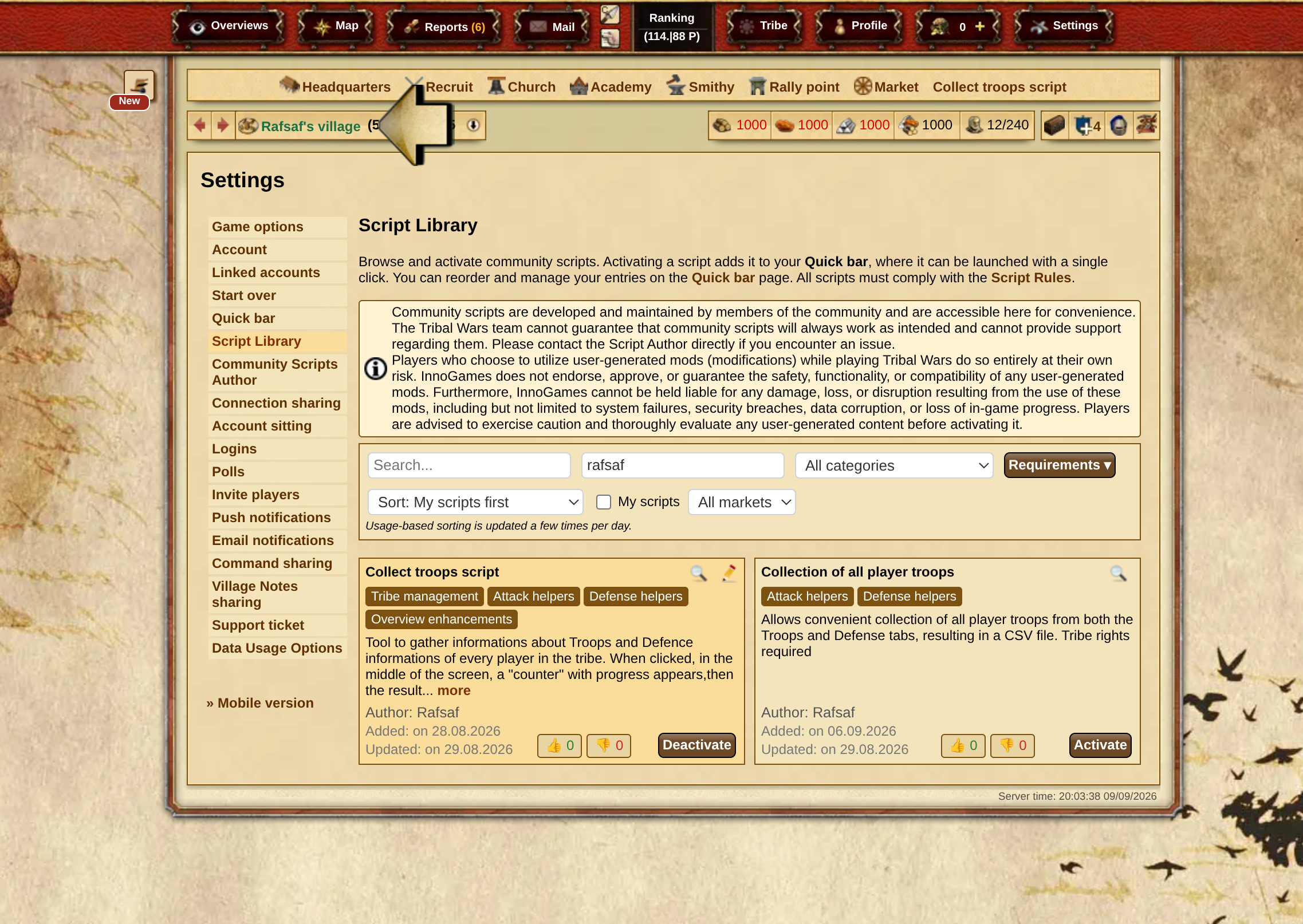
Currently, the only supported installation option is using the official Script Library (Settings -> Script Library). Search for it by author – Rafsaf or by name.
| Server | Name in script library | Author | Code |
|---|---|---|---|
| plemiona.pl | Zbiórka Wojska i Obrony | Rafsaf | Code on GitHub (v20260218) |
| tribalwars.net | Collect troops script | Rafsaf | Code on GitHub (v20260218) |
| guerretribale.fr | Script de collecte des troupes | Rafsaf | Code on GitHub (v20260218) |
| tribals.it | Raccolta delle truppe | Rafsaf | Code on GitHub (v20260218) |
| guerrastribales.es | Script de colector de tropas | Rafsaf | Code on GitHub (v20260218) |
| other servers | - | - | Code on GitHub (v20260218) |
Warning
The script is available in many language versions – report the issue through support on your server so it can be added there if it is not listed above. Using it on other language versions of the game where the script is not allowed by the support may result in account suspension. Use at your own risk.
Installation only through the script library!
javascript: $.getScript("https://rafsaf.github.io/scripts_tribal_wars/collect_troops_v20260218.js");
void 0;
Usage Instructions
- Create a script for the bar, go to the tribe view, and click it
- Change the settings (optional) and press Run
- Wait for the result
- Go to the selected schedule
- Paste the data and confirm
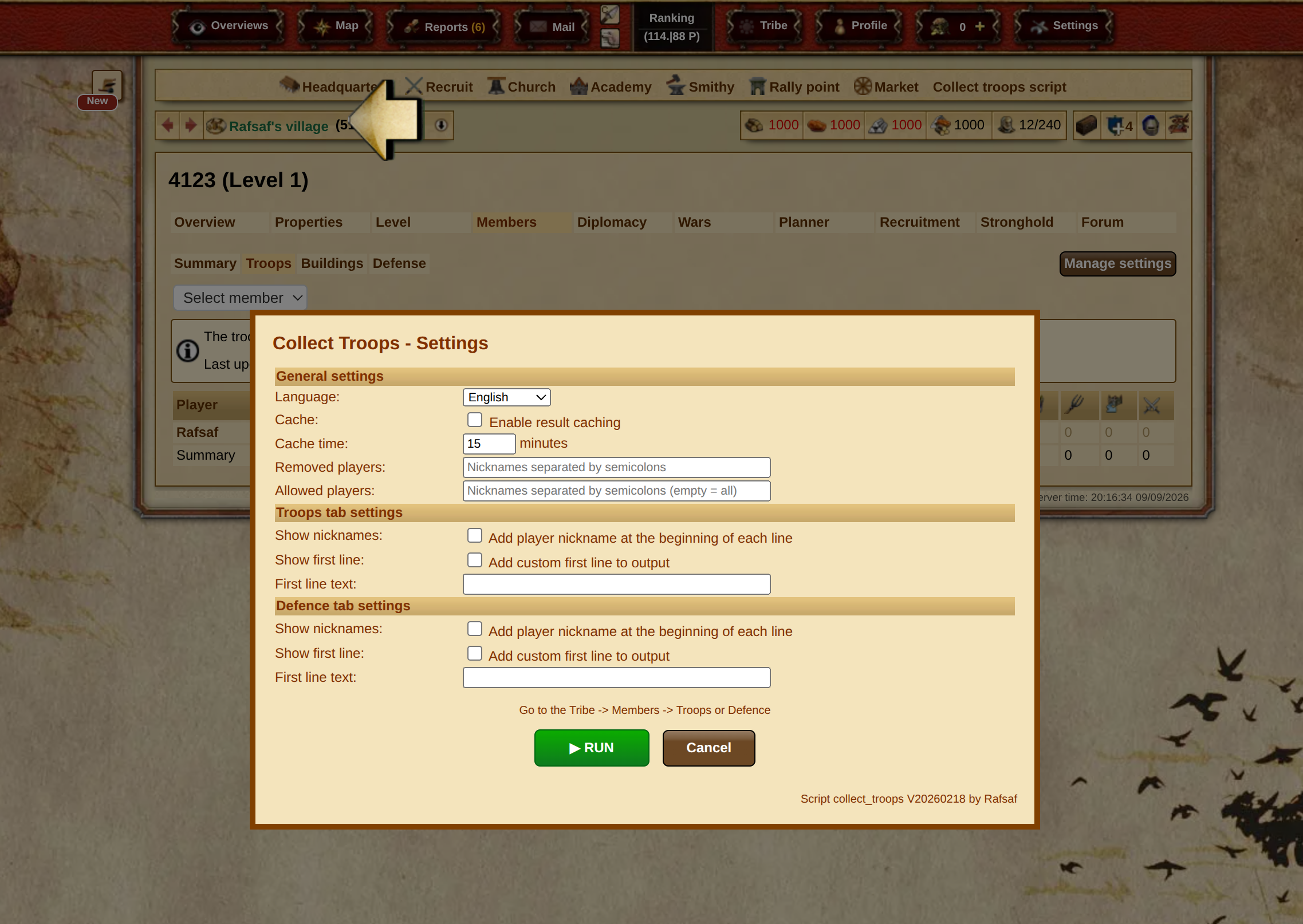
Settings:
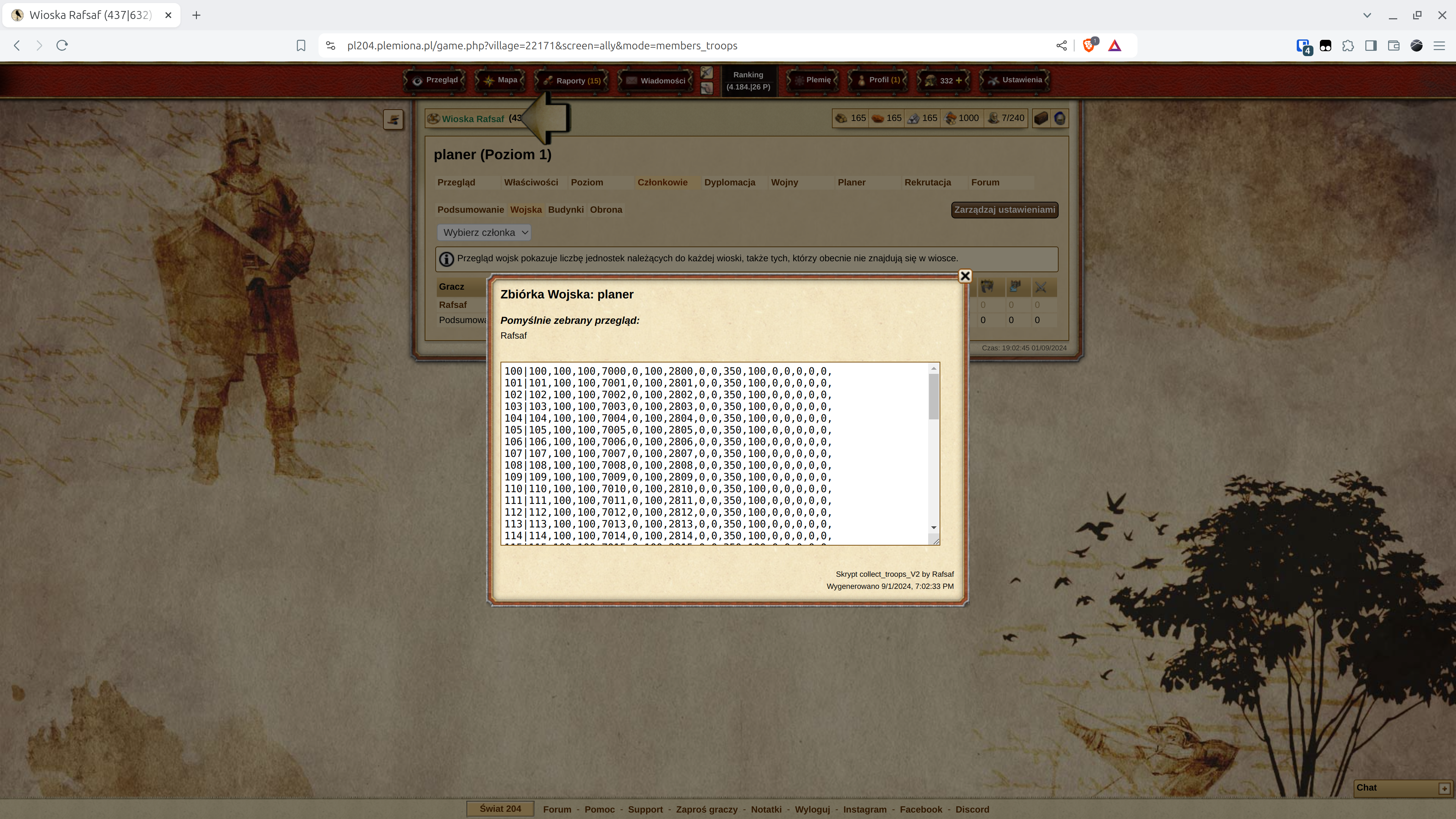
Result:
Description
After clicking in the center of the screen, a "counter" with progress appears, then the result in a window. It works in both the Army and Defence tabs. The default settings to copy have Cache enabled and Cache time set to 5 minutes; during this time, the script outputs the result saved in the browser instead of going through all members again and collecting data. If in doubt whether we are dealing with a new or old result, the collection date appears at the bottom.
The data generated by running the script should be pasted into the schedule on the site.
Options:
-
Cache:
(default: true) is responsible for storing the result in the browser so that you do not accidentally click several times in a row and unnecessarily load the game servers. If set tofalse, the script will not save the result in the browser (useful, for example, when you want to collect data from two tribes and jump immediately to the other one). Note: if the tribe has a very large number of villages, this can take up too much space inlocalStorage(~max 5MB), so the limit is 1MB. If the output is > 1MB, saving tolocalStoragewill be skipped. -
Cache time:
(default: 5) is the time for storing the generated result in the browser, in minutes. -
Removed players:
(default: "") here you enter the nicknames of players from whom you do not want to collect overview data, separated by semicolons as in messages, e.g. "Rafsaf;kmic;someone else". -
Allowed players:
(default: "") here you enter the nicknames of players from whom you ONLY want to collect overview data. The others will be skipped, with nicknames separated by semicolons as in messages, e.g. "Rafsaf;kmic;someone else". Note: the default value""has a special meaning and means that you want to collect overview data from all players. -
Show nicknames:
(default: false) when the value istrue, the player nickname is added to each line of the Army collection result, similar to the same option on the Defence tab. -
Show first line:
(default: false) when the value istrue, a header is added to the top of the Army collection result, whose value is set in the next parameter,First line text. -
First line text:
(default: "") the value that will be added to the header in the Army collection result ifShow first lineis set totrue. -
Show nicknames:
(default: false) when the value istrue, the player nickname is added to each line of the Defence collection result, similar to the same option on the Army tab. -
Show first line:
(default: false) when the value istrue, a header is added to the top of the Defence collection result, whose value is set in the next parameter,First line text. -
First line text:
(default: "") the value that will be added to the header in the Defence collection result ifShow first lineis set totrue.